Diagnostic Scanners & Tablets
Professional Diagnostic Scanners & Tablets for heavy-duty repair shops, fleets, and mobile technicians — sourced for accuracy, coverage, and uptime.
Featured Diagnostic Scanners & Tablets
Why Shops Choose This Equipment
Reads live sensor data instantly, helping technicians pinpoint faults without guesswork or unnecessary teardowns.
Covers thousands of vehicle makes and models, eliminating the need for multiple brand-specific tools.
Bi-directional controls let shops activate components directly, confirming repairs before the vehicle leaves the bay.
Cloud-based updates keep diagnostic coverage current, so technicians handle new models without buying new hardware.
Portable tablet form factor lets mobile technicians run full diagnostics anywhere, from fleet yards to roadside calls.
Diagnostic Scanners & Tablets: The Complete Buying Guide for Heavy-Duty Truck Shops and Fleet Operations
What Diagnostic Scanners and Tablets Actually Cover
Diagnostic scanners and tablets for heavy-duty applications are far more than simple code readers. In a professional truck repair environment, these tools serve as the primary interface between the technician and the full range of electronic control modules across a vehicleÔÇöengine control modules (ECMs), transmission control units (TCUs), antilock braking systems (ABS), body control modules, aftertreatment systems (DPF, SCR, DEF), and, critically for this category, the advanced driver-assistance system (ADAS) modules that govern radar, camera, and sensor-based safety features. A capable heavy-duty scanner must speak the language of multiple OEM protocols simultaneously, from SAE J1939 and J1708 to OBD-II and manufacturer-specific CAN bus variants.
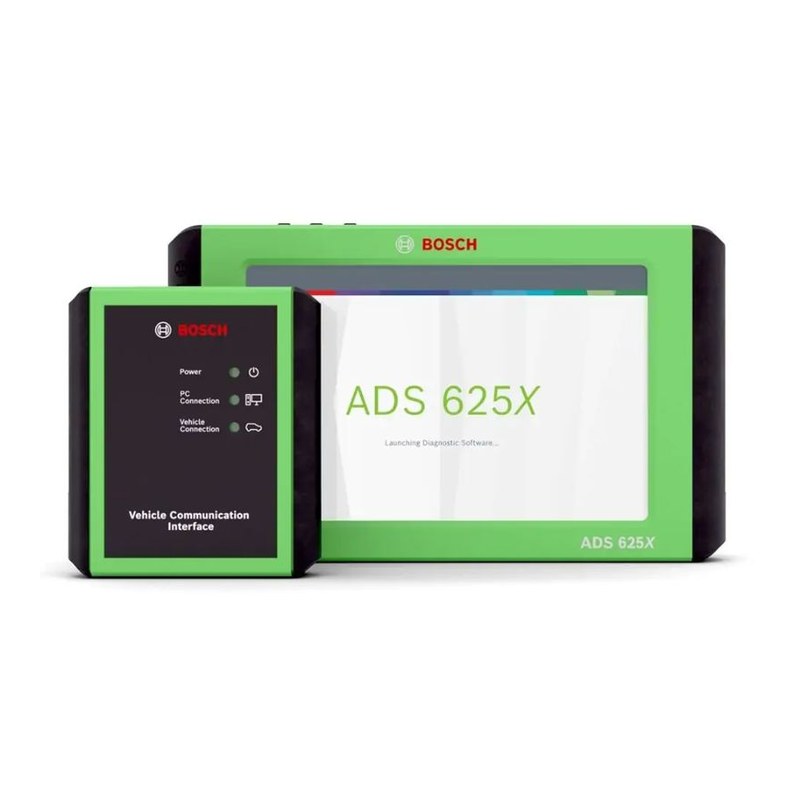
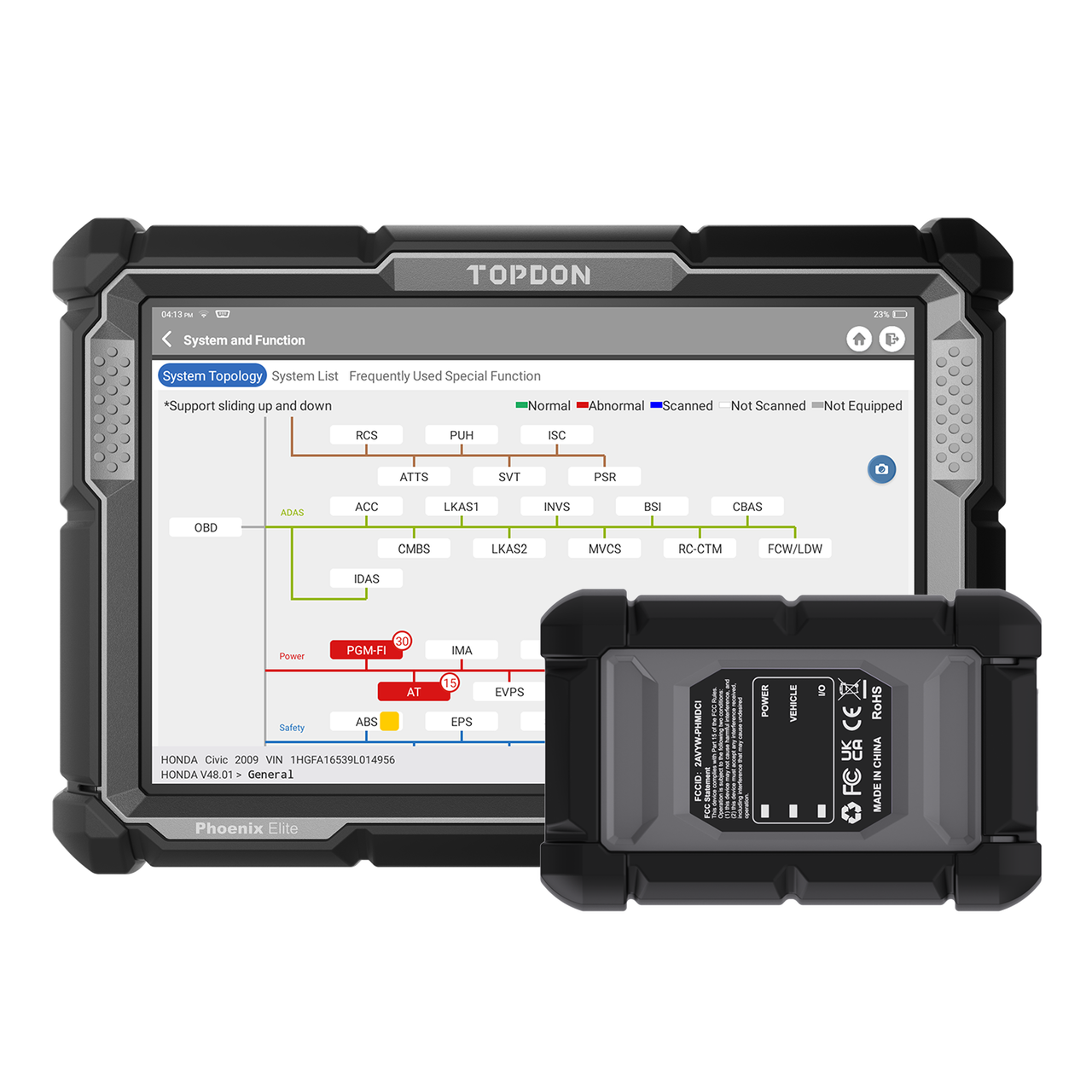
Within this product category you will find several distinct form factors and capability tiers. Standalone handheld scanners are ruggedized units with integrated displays built specifically for the shop floorÔÇöthey are purpose-built, typically update via USB or Wi-Fi, and require no additional hardware. Tablet-based diagnostic platforms pair a commercial-grade or proprietary Android or Windows tablet with a vehicle communication interface (VCI) that connects to the DLC and transmits data wirelessly or via cable. PC-based software subscriptions represent a third tier, pairing laptop-class computing power with a VCI dongle for shops that prefer the larger display and keyboard of a full workstation. Finally, OEM-level or OEM-adjacent dealer toolsÔÇösuch as Cummins INSITE, Detroit Diagnostic Link, Allison DOC, or Bendix AComÔÇöare software suites that deliver deeper access to specific makes than any aftermarket solution can provide.
For shops focused on ADAS work, scanner compatibility with ADAS modules is a non-negotiable specification. Not every aftermarket scanner that claims "heavy-duty coverage" will communicate with a Bendix Wingman Fusion radar unit, a Mobileye system, or a WABCO OnGuard camera controller. Before purchasing, verify explicitly that the tool lists the specific ADAS modules you encounter most frequently in your vehicle mix.
How These Tools Are Used Day-to-Day in a Working Shop
The diagnostic scanner or tablet is typically the first tool touched on any vehicle that rolls into a bay with a complaint or a check engine light. The workflow in a professional heavy-duty shop begins with a vehicle identification scanÔÇöpulling the VIN, reading all available modules, and performing a system-wide fault sweep in one pass. This initial full-system scan saves significant diagnostic time because faults in ancillary systems (brake controllers, tire pressure monitors, ADAS modules) often illuminate general warning lamps and would otherwise be missed if a technician only scanned the powertrain.
From that starting point, the scanner becomes the ongoing communication hub throughout the repair. Technicians use live data PIDs (parameter identification data) to observe sensor values in real time while road testing or operating equipment under load. Bidirectional controlsÔÇöthe ability to command the vehicle's modules to actuate specific outputsÔÇöallow technicians to cycle solenoids, run DPF regens, operate injector cut tests, activate ADAS sensor self-checks, and bleed brake systems without additional breakout tools. After the repair is completed, the scanner is used again to confirm the repair, clear codes, and in the case of ADAS work, initiate module reset procedures that must precede a calibration procedure on a separate calibration system.
For mobile technicians working fleets at the customer's yard, tablet-based platforms with wireless VCIs are especially practical. A Bluetooth or Wi-Fi VCI plugged into the truck's DLC allows the technician to move freely around the vehicle with the tablet rather than being tethered to a cord. Cloud-connected tablet systems can also push live case data to shop management software, flag TSBs automatically, and generate repair orders directly from diagnostic resultsÔÇöstreamlining the administrative side of the job alongside the technical work.
Matching the Right Tool to Your Shop Size and Vehicle Mix
A single-bay independent shop running a narrow vehicle mixÔÇösay, primarily Freightliner Cascadias with Detroit DD15 engines and Meritor WABCO brake systemsÔÇömay find that a combination of one strong aftermarket scanner and one or two OEM software subscriptions covers the overwhelming majority of their diagnostic needs. The investment is lower, the learning curve is contained, and coverage depth on the targeted vehicles is maximized. For these shops, the priority is selecting an aftermarket tool with strong Class 6-8 American truck coverage and then budgeting separately for the OEM tools that fill the gaps.
Multi-line dealerships, fleet maintenance facilities, and independent shops that take in a broad range of vehiclesÔÇöincluding vocational trucks, transit buses, refuse trucks, and construction equipmentÔÇöface a different equation. Coverage breadth becomes the primary driver. These operations often invest in a tier-one aftermarket platform with annual subscription coverage across dozens of makes and model years, supplemented by a library of OEM tools for their highest-volume vehicle families. The cost-per-vehicle-covered calculation tends to favor a comprehensive subscription in this scenario over accumulating individual OEM tools for every line.
Mobile ADAS calibration operations deserve special mention. Because these technicians often work alone or in pairs at a fleet's location, portability and connectivity are paramount. Battery-backed tablets that can run a full diagnostic session without AC power, paired with compact Bluetooth VCIs, are well-suited here. However, mobile technicians should confirm that their diagnostic platform includes the module reset and pre-calibration configuration capabilities required by their calibration system manufacturer, since a mismatch here can create workflow bottlenecks that cost real money on every job.
Compatibility and Integration Considerations
Compatibility operates at multiple levels and each one must be evaluated independently. Protocol compatibility refers to whether the scanner hardware and software support the communication standards used by the vehicles you serviceÔÇöJ1939, J1708/J1587, ISO 15765 CAN, OBD-II, and proprietary manufacturer protocols. Most tier-one heavy-duty platforms cover the major standards, but the depth of coverage on proprietary protocols varies considerably. A scanner may connect to a module but only read generic J1939 fault codes rather than the full manufacturer-specific fault tree, which limits diagnostic value significantly.
Module-level compatibility is where ADAS coverage gaps most commonly appear. Verify that your target scanner explicitly supports the ADAS ECUs in your vehicle mix by consulting the manufacturer's coverage documentation by year, make, model, and specific moduleÔÇönot just by system type. Some platforms publish detailed coverage charts online; others require you to contact technical support for confirmation. For shops performing windshield replacement or front-end structural repairs that trigger mandatory ADAS recalibration, the ability to access and reset the forward camera or radar module through the diagnostic tool before handing the vehicle off to the calibration system is a critical workflow requirement.
Integration with shop management systems (SMS) and fleet telematics platforms is an increasingly important consideration. Many modern diagnostic tablets can export fault reports, vehicle health summaries, and completed repair data directly to SMS software via API or standardized file formats. For fleet accounts where the customer expects data-driven maintenance reporting, this connectivity transforms the diagnostic tool from a standalone instrument into a node in a broader data ecosystem. Confirm whether integration with your existing SMS or customer-facing portal is supported natively or requires additional middleware.
Setup, Space, and Workflow Requirements
Hardware setup for standalone handheld scanners is minimalÔÇöupdate the software, program your shop's preferred scan sequences, and the tool is ready. Tablet-based platforms involve slightly more setup: installing the diagnostic application, registering the VCI hardware, configuring Wi-Fi or Bluetooth pairing, and in many cases activating the subscription license. Allow time for this initial configuration and plan for a brief learning period for technicians who are new to the platform's interface. Manufacturer training videos and application support lines are valuable during this phase.
Workspace considerations are modest for diagnostic tools compared to calibration equipment, but they are not zero. A dedicated charging station for tablets and VCIs keeps tools ready and prevents them from going dead mid-job. Shops running multiple bays benefit from having at least one scanner or tablet per active bayÔÇösharing a single unit across multiple technicians creates bottlenecks, particularly during busy periods when multiple vehicles are in diagnostic phases simultaneously. Cable management for corded VCIs, protective cases for tablets used on the shop floor, and a defined location for storing accessories (cable adapters, DLC breakout cables, power cables) all contribute to an organized, efficient workflow.
Software Subscriptions, Updates, and Long-Term Maintenance
For virtually all professional-grade diagnostic platforms, the annual software subscription is an ongoing operating cost that must be factored into the total cost of ownership. Subscriptions typically cover coverage updates for new model years, software bug fixes, new system coverage additions, and access to cloud-based repair information integrated into the diagnostic workflow. Letting a subscription lapse means the hardware becomes staticÔÇöit stops receiving new vehicle coverage and may eventually fail to communicate correctly with newer vehicles that require updated protocol handlers.
Hardware longevity in the shop environment depends significantly on physical durability. Drop ratings, screen protection, and resistance to shop fluids are practical considerations for tablet-based systems used daily on a busy shop floor. Commercial-grade tablets designed for industrial use generally outlast consumer tablets in the shop environment, though they typically carry a higher initial cost. Evaluate the manufacturer's service and replacement policies: a platform with a strong depot repair program, loaner unit availability, and responsive technical support represents lower operational risk than an equally capable tool backed by poor post-sale support.
Keep a log of software version numbers and subscription renewal dates for every diagnostic tool in the shop. An expired subscription discovered mid-diagnosis on an urgent fleet vehicle is a preventable disruption. Most manufacturers offer multi-seat licensing arrangements for shops with multiple units on the same platform, which can reduce per-unit subscription costs and simplify renewal management.
Buying Considerations: A Detailed Framework
When evaluating diagnostic scanners and tablets for a professional heavy-duty operation, use the following framework to structure your purchasing decision:
- Vehicle coverage depth vs. breadth: Audit your actual vehicle mix by make, model, year, and system. Identify the five to ten most common vehicles and verify that any candidate tool covers those vehicles at the module level, not just the powertrain level. Do not rely solely on marketing claimsÔÇörequest the manufacturer's detailed coverage chart.
- ADAS module access: Specifically confirm coverage for the ADAS systems you encounter. For shops doing windshield R&R, suspension work, or front-end repairs, pre-calibration module reset capability is a workflow-critical feature, not a luxury.
- Bidirectional control capability: Confirm that the tool supports bidirectional commands for the systems you need, including actuator tests, forced regens, injector tests, and brake bleeds. Read-only scanners are insufficient for professional diagnostic work.
- Update frequency and subscription model: Ask how frequently the manufacturer releases coverage updates, whether updates are pushed automatically or require manual download, and what the annual subscription cost is for your license tier.
- Hardware durability and form factor: Match the form factor to the use caseÔÇörugged standalone for harsh environments, tablet-based for workflow integration and portability, PC-based for high-complexity diagnostic work at a fixed workstation.
- OEM tool gaps: Identify which vehicle families in your mix will require OEM-level software regardless of the aftermarket tool you purchase, and budget for those subscriptions accordingly. No aftermarket tool replaces OEM access for all functions on every vehicle.
- Integration with existing systems: Evaluate whether the platform integrates with your shop management software and, for fleet customers, whether it supports the reporting formats your customers require.
- Support and training: Assess the manufacturer's technical support infrastructure, availability of training resources, and the user community around the platform. A tool that technicians know how to use effectively is worth more than a technically superior tool that sits underutilized.
One final consideration that is frequently overlooked: the transition cost of switching platforms. If your shop has an established diagnostic tool that technicians are proficient with, factor in retraining time and the productivity dip during the learning curve when evaluating a competing platform. Switching for modest feature improvements may not justify the disruption, whereas switching for significant coverage gaps in your vehicle mix or ADAS workflow usually does. Make the evaluation data-driven rather than driven by familiarity or marketing.
The right diagnostic scanner or tablet is a daily productivity multiplier for every technician in your shop. Approached with the rigor that heavy-duty professional work demands, this purchasing decision pays for itself in faster diagnosis, fewer comebacks, and the ability to confidently take on the ADAS-equipped vehicles that represent the growing majority of today's commercial truck parc.